
EZ-Link Card
The EZ-Link card is Singapore’s most widely used contactless stored-value card, designed to make everyday travel and small-value payments seamless. First launched in 2002, the card has become an essential companion for commuters and is accepted on nearly all forms of public transport, along with many retail and lifestyle outlets. Today, it is available in both physical and digital forms, making it easy for residents and visitors alike to get around Singapore efficiently1.
History of the EZ-Link Card
The EZ-Link card was introduced on 13 April 2002 by EZ-Link Pte Ltd, a subsidiary of the Land Transport Authority (LTA). It replaced the older magnetic farecard system used on MRT and buses, bringing in a faster and more reliable tap-in/tap-out system powered by RFID technology2. Over the years, the card has evolved:
- 2002: Launch of first-generation EZ-Link card using Sony FeliCa technology.
- 2009: Introduction of the CEPAS-compliant EZ-Link card, enabling use across a wider range of services.
- 2016 onwards: Integration with contactless payments and rollout of EZ-Link mobile app.
- 2020s: Support for NFC-enabled smartphones with EZ-Link NFC SIM and EZ-Link Wallet for mobile transactions3.
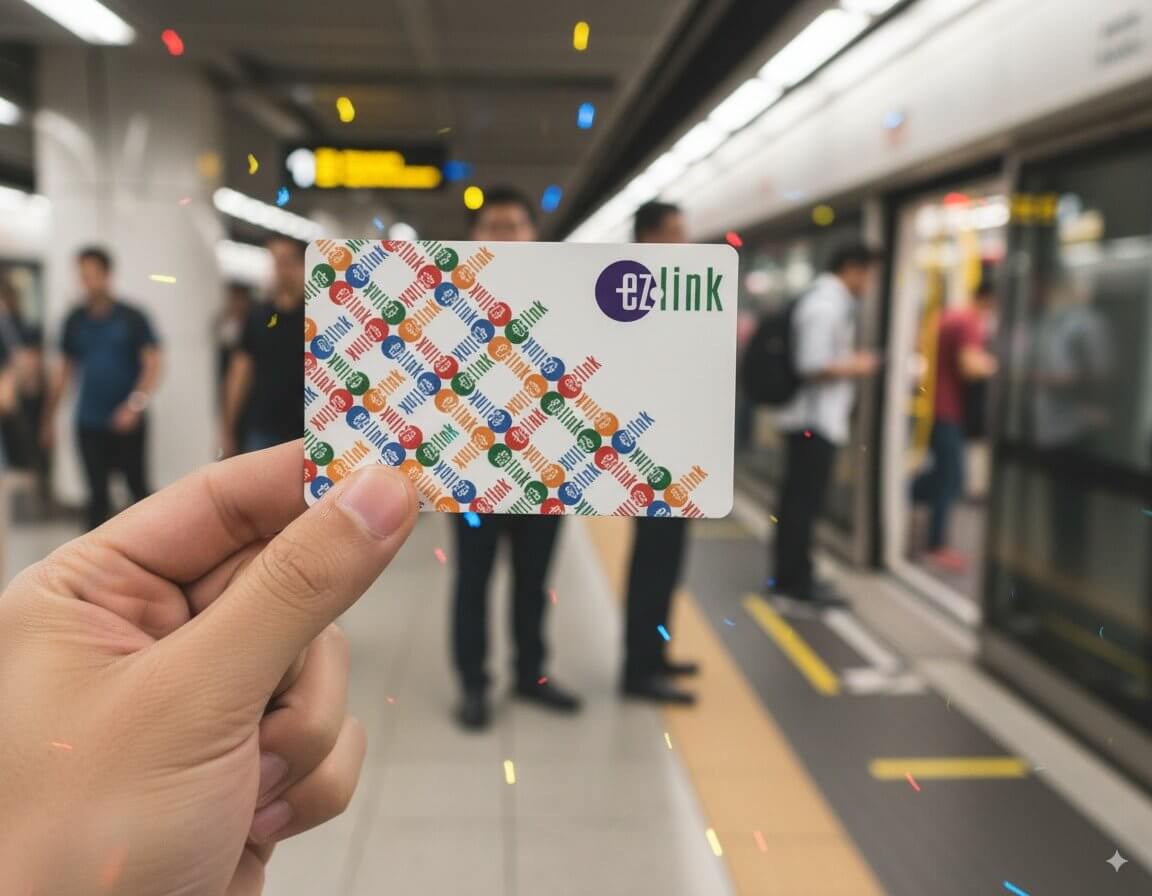
EZ-Link Card (29 August 2025)

Where Can You Use the EZ-Link Card?
EZ-Link cards are accepted widely across Singapore in both transport and non-transport settings. Examples include:
- Public transport: MRT, LRT, and public buses (tap in and out at gantries or bus readers).
- Private buses & taxis: Selected private bus services and ComfortDelGro taxis.
- Toll payments: Electronic Road Pricing (ERP) and car park gantries equipped with in-vehicle units (IU).
- Retail outlets: Convenience stores, fast food chains, supermarkets, vending machines, and selected hawker centres.
- Leisure: Attractions, libraries, and some lifestyle merchants that support EZ-Link payments4.
Where to Buy the EZ-Link Card
Visitors and residents can purchase a physical EZ-Link card easily in Singapore. They are sold at:
- Passenger Service Centres (PSC) in MRT and LRT stations
- 7-Eleven outlets and Cheers convenience stores
- TransitLink Ticket Offices
- Changi Airport MRT station upon arrival
Documentation: No identity documents are required to buy a standard EZ-Link card. However, for concession cards (students, senior citizens, NSFs), valid ID or proof of eligibility must be presented5.
How to Top Up the EZ-Link Card
There are multiple ways to add value to your EZ-Link card:
- At MRT/LRT ticketing machines and Passenger Service Centres
- Over the counter at TransitLink Ticket Offices, 7-Eleven and Cheers stores
- Using EZ-Link top-up machines at various locations
- Via EZ-Link app (with NFC-enabled Android phones) or by linking the card to the app for top-ups with stored debit/credit cards
- Auto Top-Up (ATU): A service that automatically reloads your card when balance falls below a set amount, linked to your bank account or credit card6.
EZ-Link Mobile App and Digital Version
The EZ-Link app, available on both iOS and Android, allows cardholders to:
- Check card balance and transaction history
- Top up the card digitally (via NFC-enabled Android phones or via linked payment cards)
- Activate EZ-Link Wallet for QR code payments at retail outlets
- Manage Auto Top-Up and linked cards
In addition, EZ-Link NFC SIM cards and the EZ-Link Wallet enable commuters to go cardless by paying directly with their mobile phones. This digital transformation makes EZ-Link not just a transport card, but a multipurpose payment tool for daily life7.
Quick Facts
First Introduced: 2002
Technology: RFID-based contactless (CEPAS standard)
Usable On: MRT, LRT, buses, ERP, car parks, retail, selected taxis
Where to Buy: MRT stations, TransitLink offices, 7-Eleven, Cheers
Top-Up Options: Ticketing machines, convenience stores, mobile app, Auto Top-Up
Digital Version: EZ-Link Wallet in the EZ-Link app (iOS & Android)
References
- EZ-Link: Official card overview
- EZ-Link history and company information
- Land Transport Guru: EZ-Link card details
- TransitLink: EZ-Link top-up and usage
- MoneySmart: Guide to EZ-Link usage
- EZ-Link App: Features and downloads
- Straits Times: EZ-Link Wallet expansion
Page Details
This page was created on 29 August 2025. Hi, my name is Timothy and created it from my research, for my own entertainment, knowledge and to satisfy my curiosity. I am providing the information to you in good faith and hope it is useful. I try to get the details as accurate as possible. I also try to update the page whenever I stumble on new details. So this and all my other pages are perpetual work in progress. If you discover any error, please politely inform me, pointing out where the error lies, and I will correct it as soon as possible. Your helpfulness will keep this page accurate, relevant and helpful to those who need the information.My videos of Singapore
Want to share your Singapore travel experiences or get tips from fellow travellers?
Join the Singapore Travel Tips Facebook GroupMore information for visiting and living in Singapore
Here are some related articles to help you get to know Singapore better.- Cost of Living in Different Singapore Neighbourhoods (2025 Guide)
- EZ-Link Card
- Owning a Car in Singapore
- Singapore MRT Map & Guide 2025
- Singapore Postal Districts and Postcodes
- Singapore Tourist Pass
- Taking the Bus in Singapore: A Visitor's Guide
- Understanding CCR, RCR and OCR in Singapore real estate
 Latest Pages & Updates
Buy Me A Coffee
If you enjoy the information I provide and want to support the work I do, please buy me a coffee! I appreciate it immensely, thank you so much!
